SimDeck Get early access

For iPhone, iPhone Duo and Mac · by Luke Rhodes

Your Mac’s simulators, in your pocket.

SimDeck streams each iOS simulator’s own screen to your iPhone and sends your touches straight back in. Your Mac’s cursor never moves, and Simulator.app doesn’t need to be open.

Get early access Coming to TestFlight
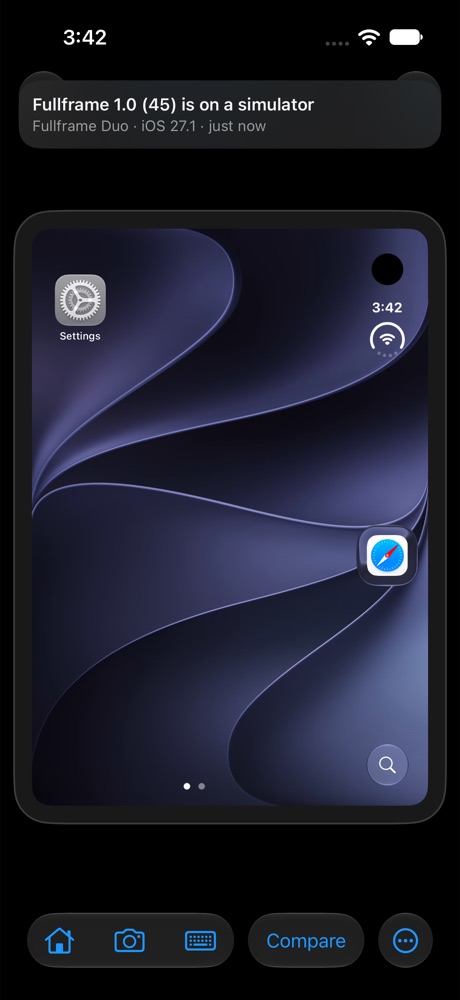
Fullframe Duo · iOS 27.1 1.0 (45)
SimDeck showing a notice: Fullframe 1.0 (45) is on a simulator, Fullframe Duo, iOS 27.1, just now.
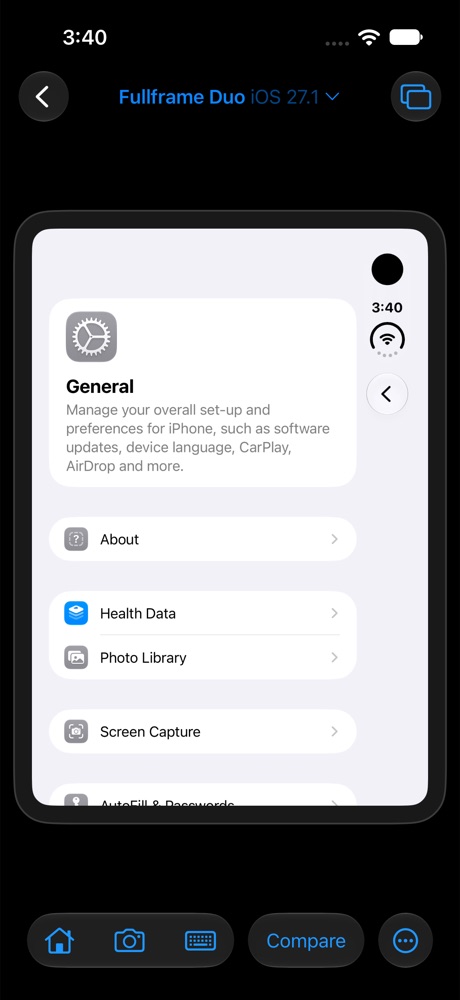
SimDeck on an iPhone showing the Fullframe Duo simulator’s General settings, with Home, Screenshot, Type, Compare and Device Hub buttons below.
SimDeck running on an iPhone simulator, driving an iPhone Duo simulator on the same Mac.

If you’re building with Claude Code or Cursor, new builds land while you’re away from the desk.

Checking each one on more than one iOS version still means getting up, going to the Mac and clicking through Simulator.

SimDeck puts those simulators on your phone, with the newest build and every OS version it’s on in one place.

What it does

The latest build, on every OS version

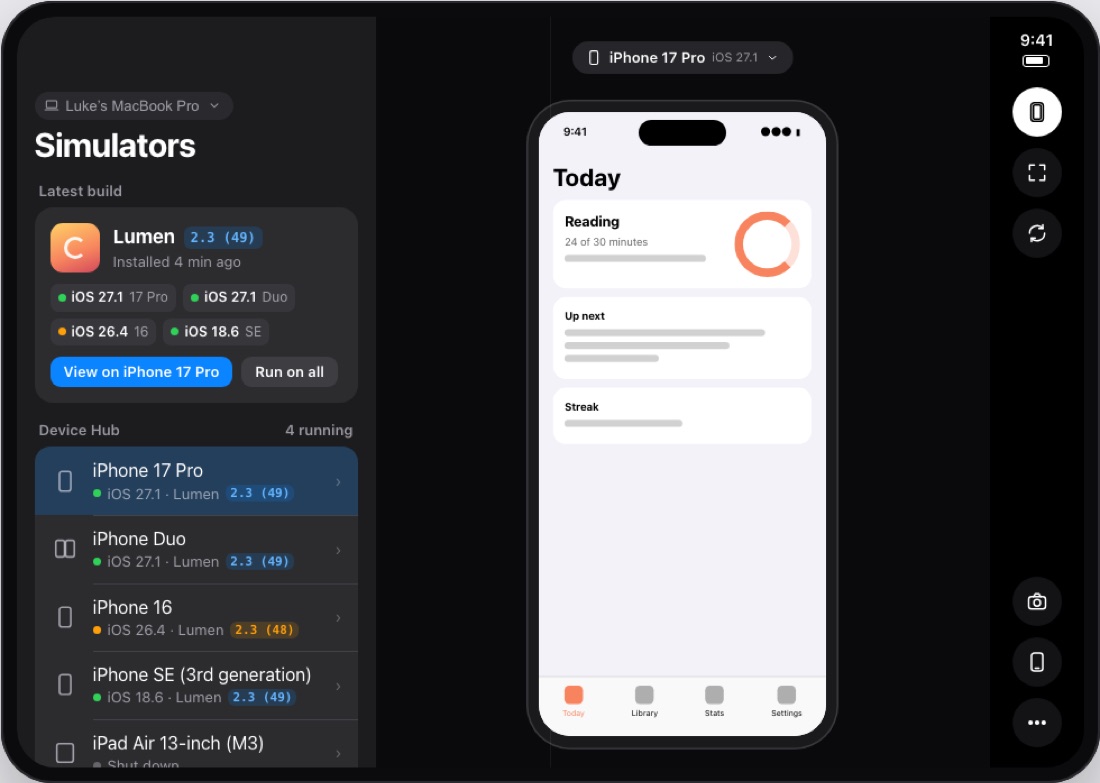
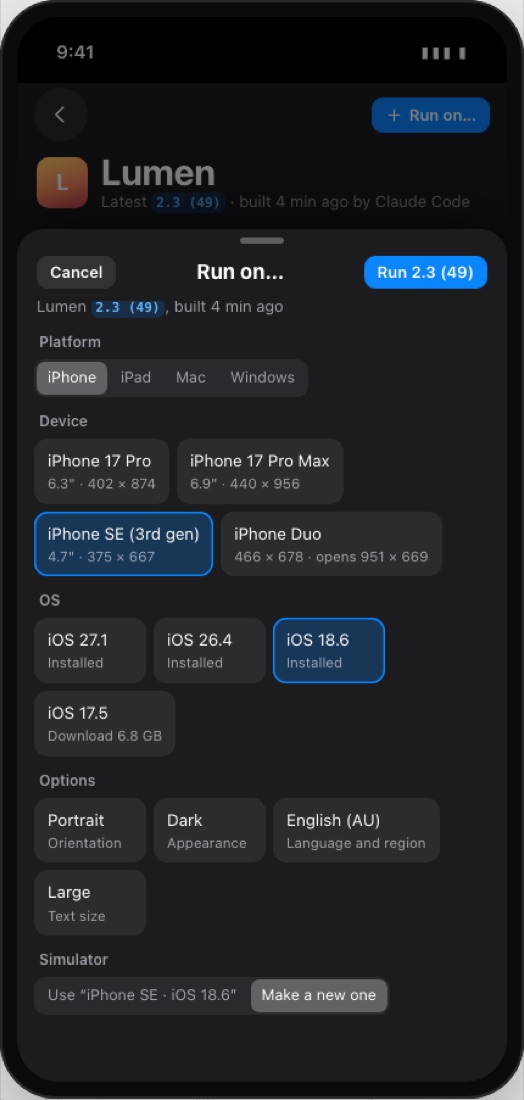
One card shows your app’s newest build, e.g. 2.3 (49), and every simulator it’s on: iOS 27.1, 26.4, 18.6. A simulator still on an older build is flagged orange. Run on All installs the newest build on every running simulator, and Compare puts them side by side.

iOS 27.1 iPhone 17 Pro iOS 26.4 iPhone 16 · 2.3 (48) iOS 18.6 iPhone SE

Note: TestFlight builds are built for devices, so they can’t run on a simulator. SimDeck works with the simulator builds Xcode or your AI tool installs.
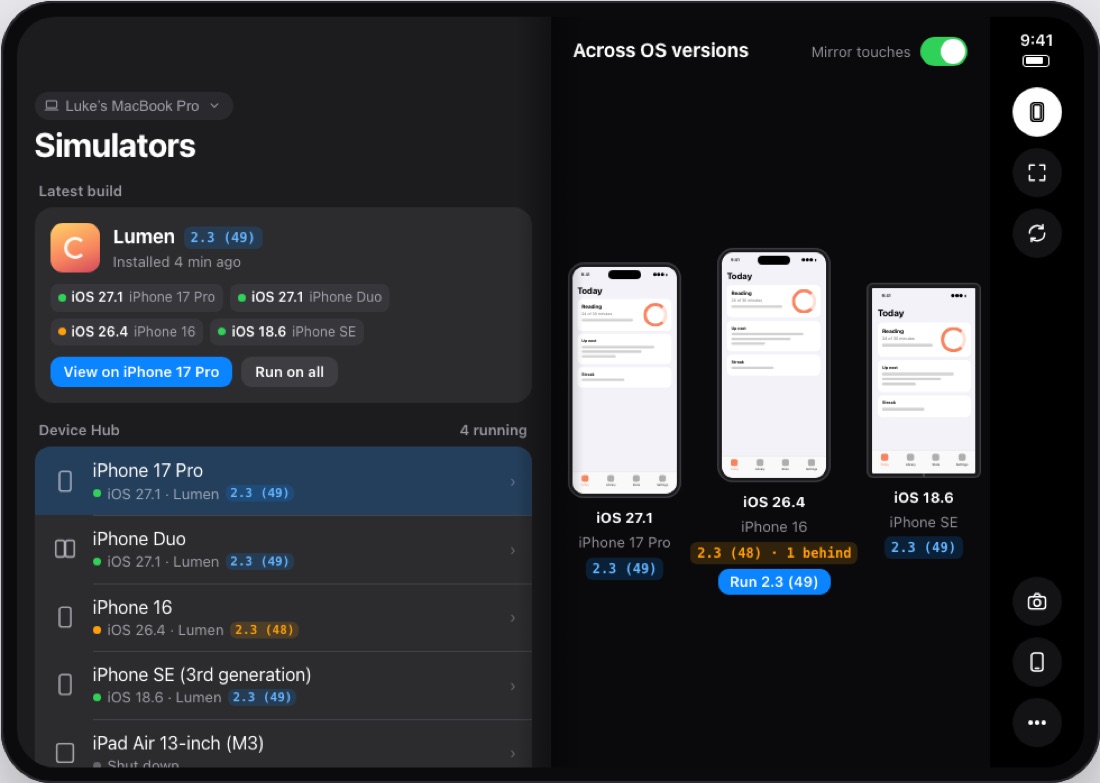
Design preview: SimDeck on an open iPhone Duo, the simulator list on the left and one build side by side on iOS 27.1, 26.4 and 18.6 on the right, with the iOS 26.4 copy flagged one build behind.
Design preview · Compare, on an open iPhone Duo

Only the simulators, nothing else

SimDeck Helper reads each simulator’s screen from Xcode’s own simulator framework, not from your Mac’s display. Touches go into the simulator directly. Your cursor stays where you left it, and no other window is ever shared. Bezel on or off, fit or actual size, or full screen.

Told when a new build lands

When a new version or build of your app turns up on a simulator (an Xcode run or a simctl install), your phone shows a notice with the build number and the simulator it’s on. Tap Switch to jump to it.

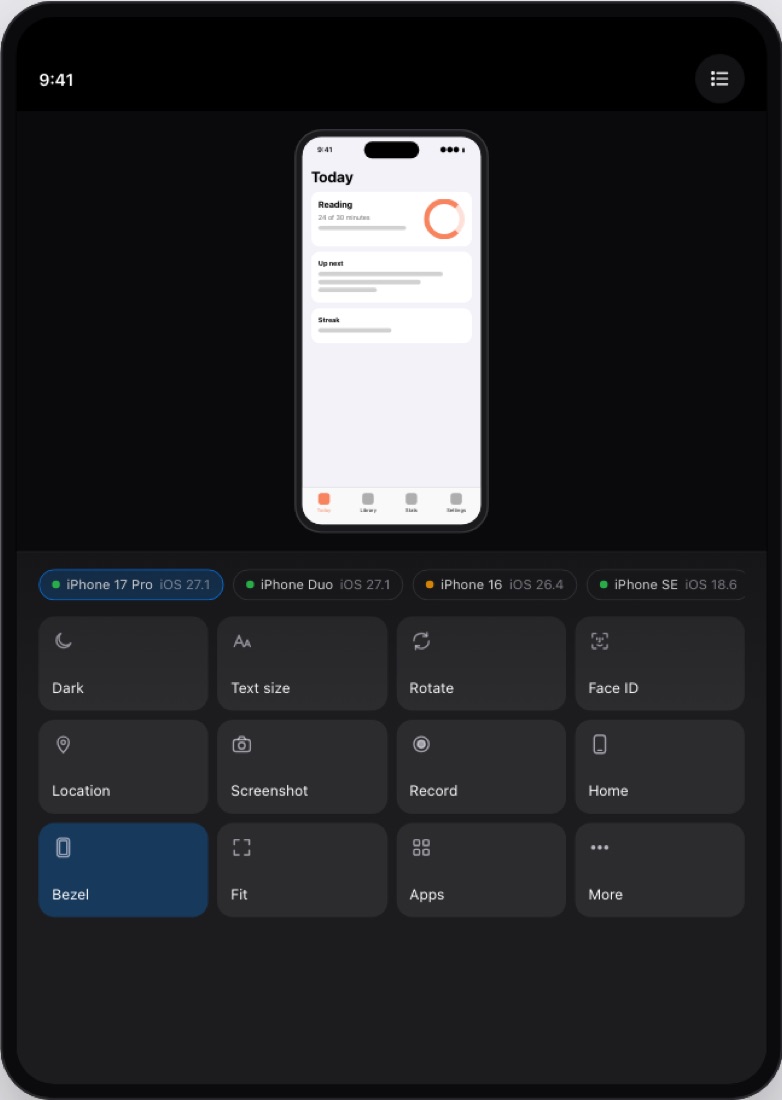
Device Hub controls from your phone

Dark AppearanceText SizeIncrease Contrast9:41 status barLocationFace IDHomeLockTypingOpen a linkLaunch an appScreenshot to PhotosRecordEraseShut down and start

Note: rotation and iPhone Duo postures stay in Xcode’s Device Hub; Xcode doesn’t let other apps change them.

Several phones, one Mac

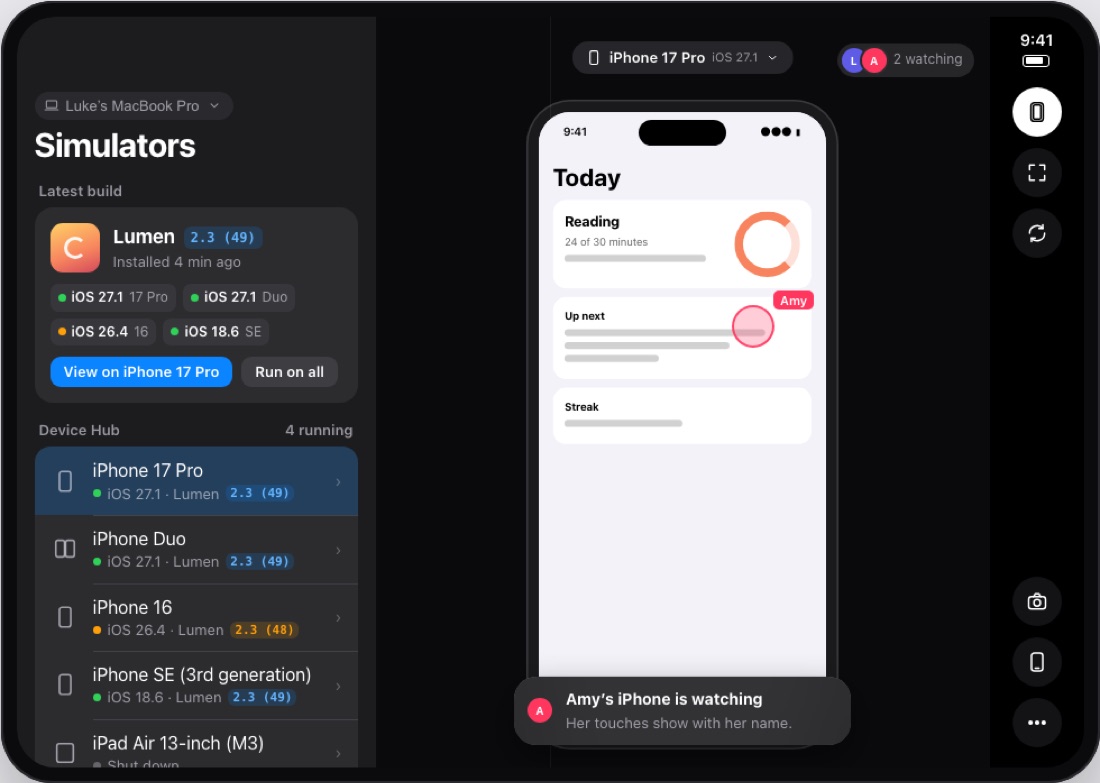
More than one phone can connect to the same Mac. Each one shows who else is watching, and a touch from someone else shows their name on the screen, so it’s clear who tapped what.

Built on Fullframe

SimDeck runs on the streaming and pairing engine from Fullframe, my app for driving a Mac from an iPhone. The video is hardware HEVC, and the helper only encodes a frame when the simulator’s screen actually changes.

Design preview: SimDeck on an open iPhone Duo with two people watching one simulator; a touch is labelled Amy.
Design preview · two phones on one simulator

How it works

  1. Install both halves.

    SimDeck goes on your iPhone or iPhone Duo; SimDeck Helper sits in your Mac’s menu bar.

  2. Approve your phone once.

    Your phone finds the Mac on your network by itself. Both show a six-digit code; click Allow on the Mac when they match.

    482 913

  3. Pick a simulator.

    Watch it, drive it, and switch to each new build as it arrives.

A layout for every way you hold it

Closed, it’s a phone layout. Open flat, the simulator list sits beside the simulator; folded like a book, the two split at the fold; and in tabletop, the simulator sits on the raised half with every control on the flat half.

Design preview: open flat, a 320-point simulator list beside the simulator.
Design preview · open flat
Design preview: folded like a book, list and simulators split at the fold.
Design preview · book
Design preview: tabletop, the simulator on the raised half and a grid of controls on the flat half.
Design preview · tabletop

Your Mac stays your Mac

  • SimDeck sees Xcode’s simulators and nothing else.
  • You approve each phone on the Mac when its code matches. The phone commits to its key before the Mac answers, so a machine in the middle gets one guess in a million.
  • The link is TLS with a key for each phone, and the video is sealed with AES-GCM, on your local network.

Simulators that don’t run all week

Pick an age from 1 to 24 hours and SimDeck Helper shuts down any simulator that’s been running longer. It warns your phone five minutes before, and it never touches one a phone is watching or one you’ve marked Keep Running.

What’s coming next

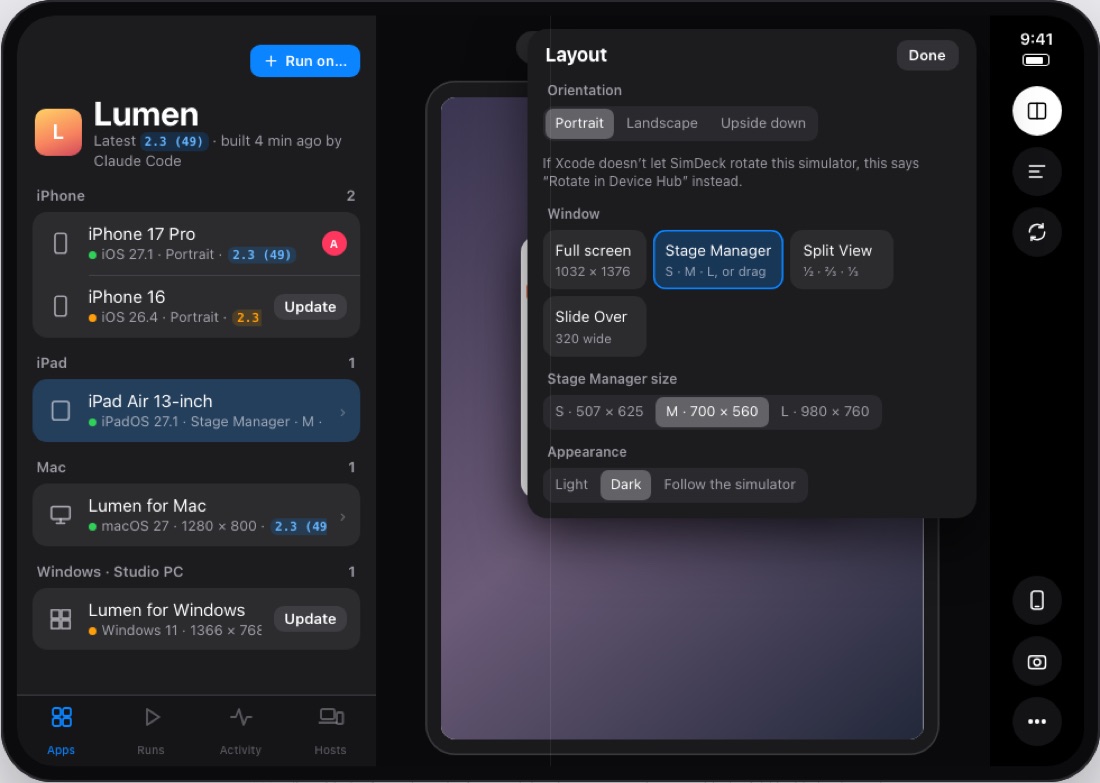
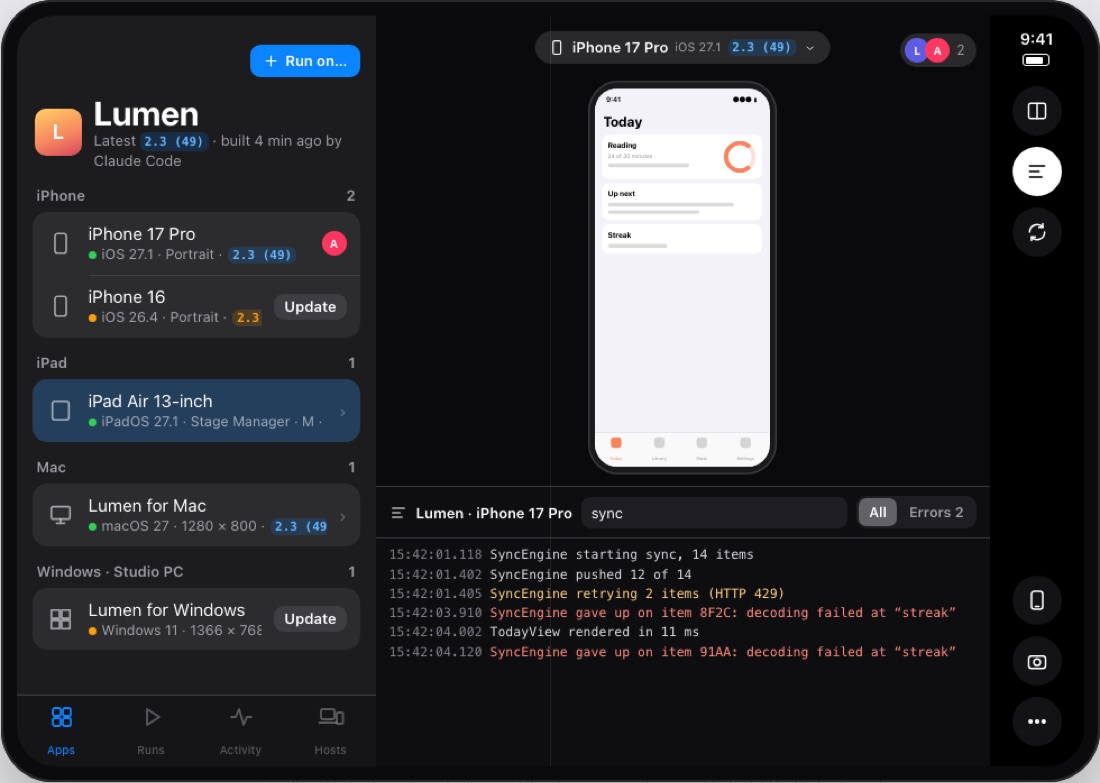
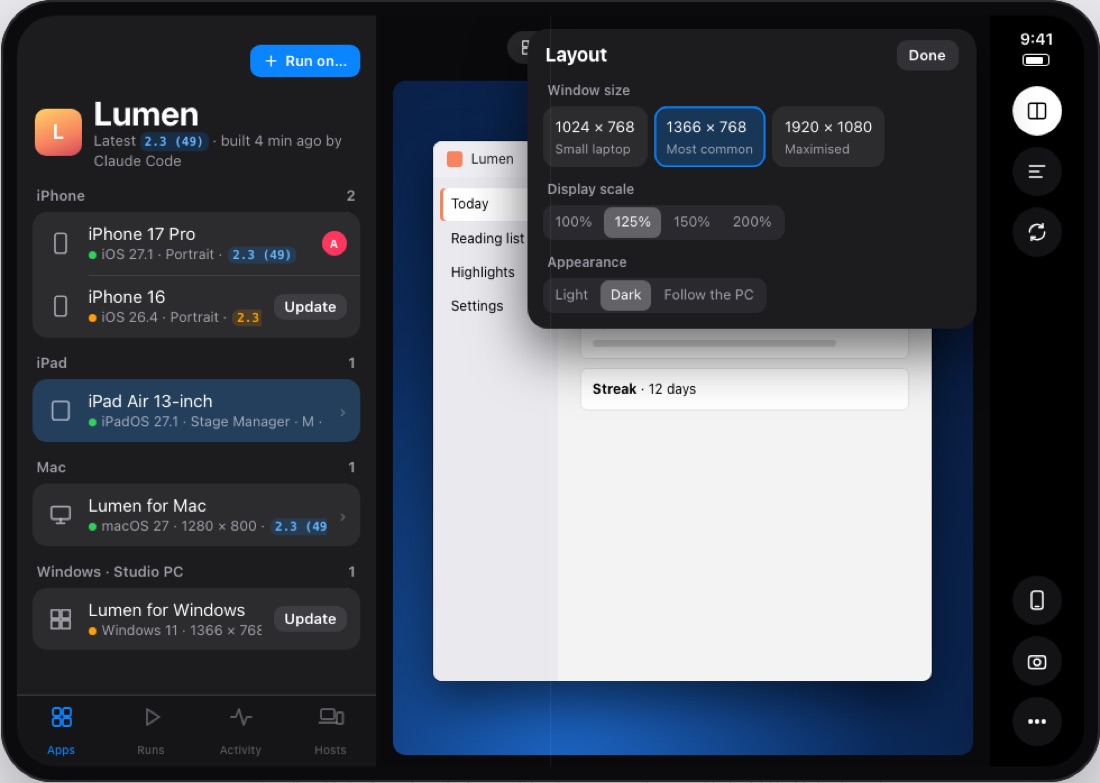
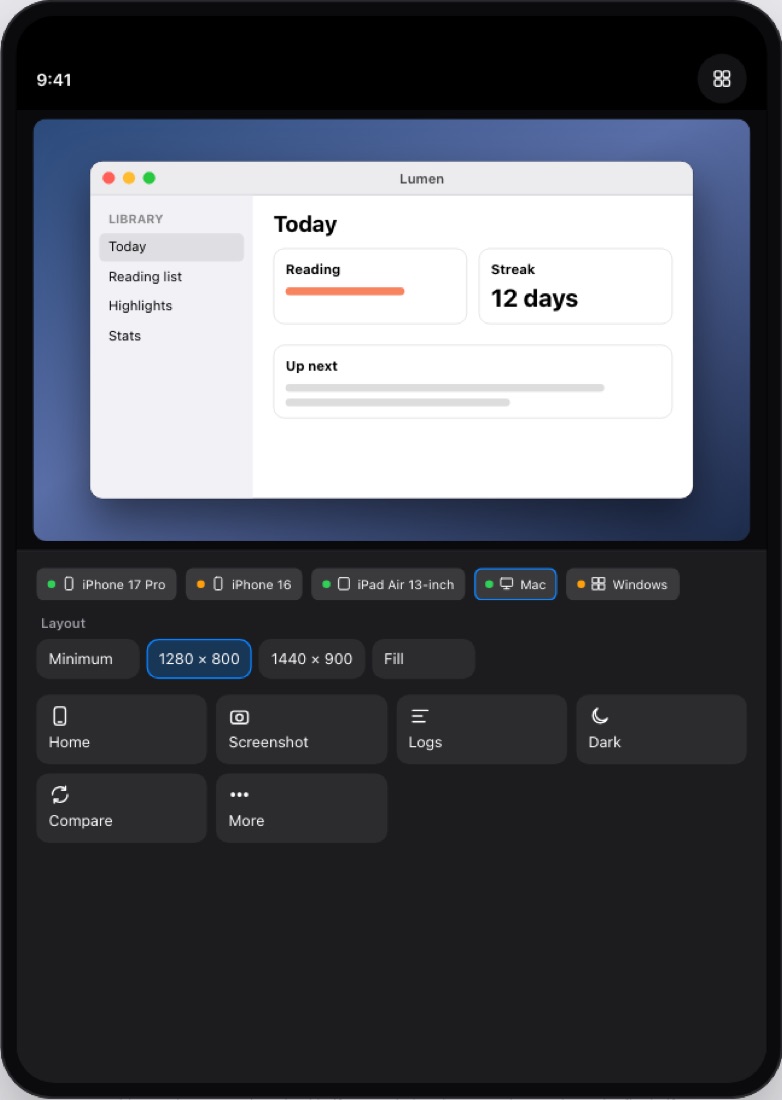
Everything above works today. This is what’s being built now, from the next design.

Questions

Does Simulator.app need to be open?

No. The helper talks to Xcode’s simulator framework directly. Simulator.app can stay closed.

Can SimDeck see anything else on my Mac?

No. It never captures your Mac’s display, only each simulator’s own screen.

Can I run my TestFlight build on it?

Not directly. A TestFlight build is a device build, and simulators only run simulator builds. Anything installed on a simulator shows up in SimDeck. Run on All copies it to the rest.

What still needs the Mac?

Turning the simulator sideways and changing a Duo’s posture. Both live in Device Hub; the rest works from your phone.

Does it work with Windows apps?

Not yet; it’s in development. SimDeck Helper for Windows will run on a PC or in a Windows VM on your Mac, and your phone pairs with it the same way it pairs with the Mac.

Can it rotate the simulator?

Not today. Xcode rotates simulators from Device Hub, and SimDeck hasn’t found a supported way to do the same. Until it does, rotation stays in Device Hub and SimDeck says so.

I’ve got several apps. Does that work?

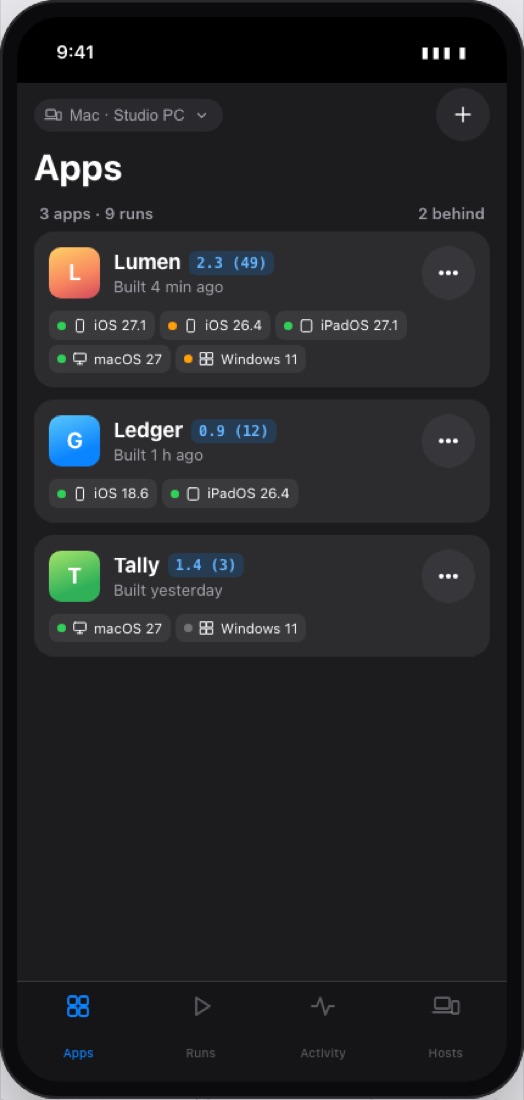
Yes. Every app installed on a simulator shows up today. The apps-first home screen in development groups each one with all its runs.

How do I get it?

SimDeck isn’t released yet; it’s coming to TestFlight. Email luke@rhodes.gg for early access.

Check every build without walking back to the desk.

SimDeck is coming to TestFlight. Get early access by emailing luke@rhodes.gg.